

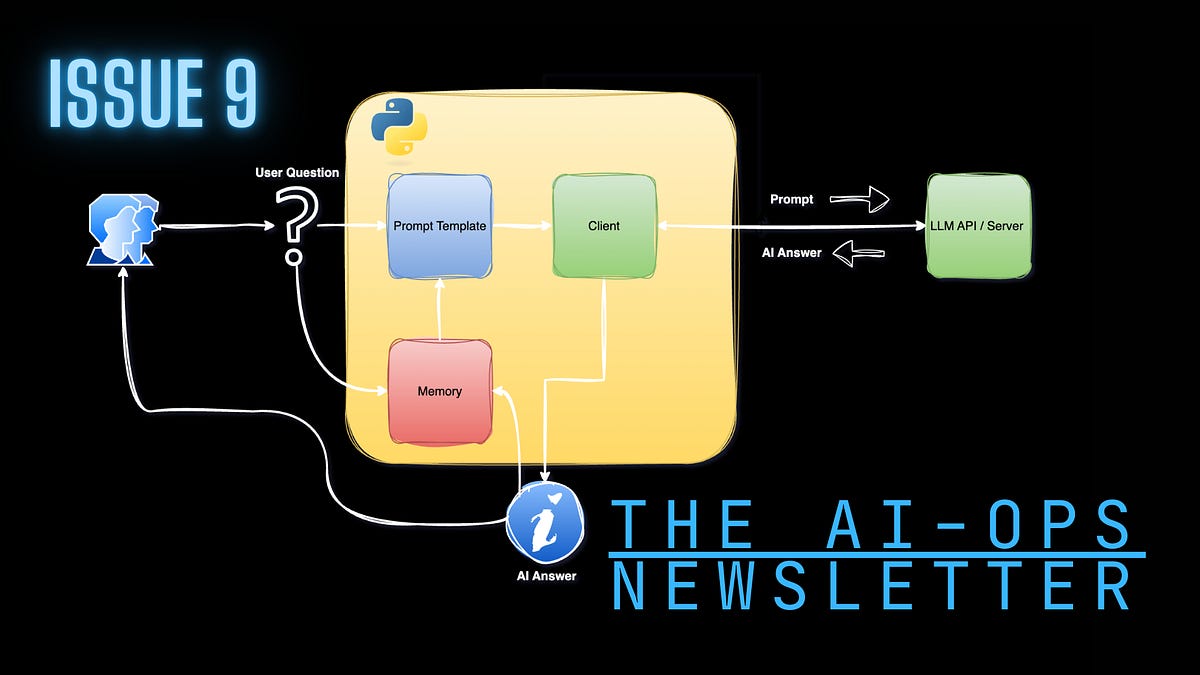
為 AI 應用程式建立記憶體 - 艱難的途徑
本文探討了 AI 應用程式,特別是本質上無狀態的大型語言模型 (LLM) 中記憶體的概念。文章詳細說明如何使用 Python 和 OpenAI SDK 從頭開始建立短期對話記憶體,並強調此方法旨在理解原理而非用於生產環境。

The AIOps Newsletter
Setting Up a Memory for an AI Application - The Hard Way
LLM Memory Explained: Building Short-Term Conversational Memory in Python

In probability theory, a sequence of coin flips is a set of independent events. If you get tails on your first toss, it won’t change the probability of getting heads or tails on the next one—the coin has no “memory.”
Large Language Models (LLMs) behave similarly. Given a prompt, LLMs’ responses are stateless across API calls unless prior context is explicitly provided. In other words, out of the box, LLMs function like Dory from Finding Nemo—a fish with no memory.
So, how do AI applications, such as chatbots and AI agents, hold conversations with users over time? The answer is simple: memory.
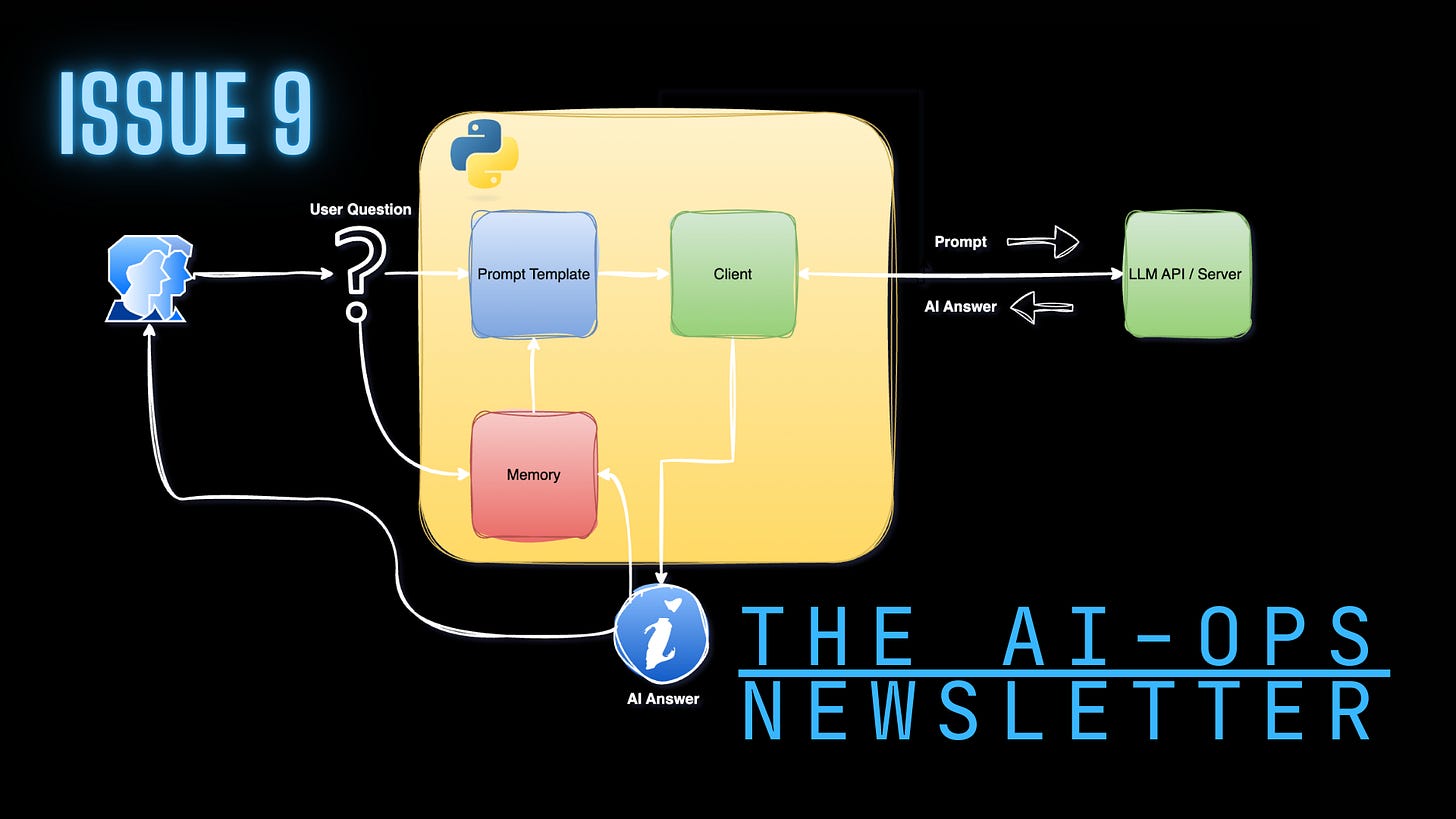
In this tutorial, we’ll learn how to set up memory from scratch using just a few lines of Python and the OpenAI Python SDK. Should you build memory for your AI applications this way in production? Absolutely not! The goal here is to understand how memory works, its limitations, and the costs associated with it.
The complete Python code for this tutorial is available in this repository.
Memory Types
In general, AI applications use two types of memory:
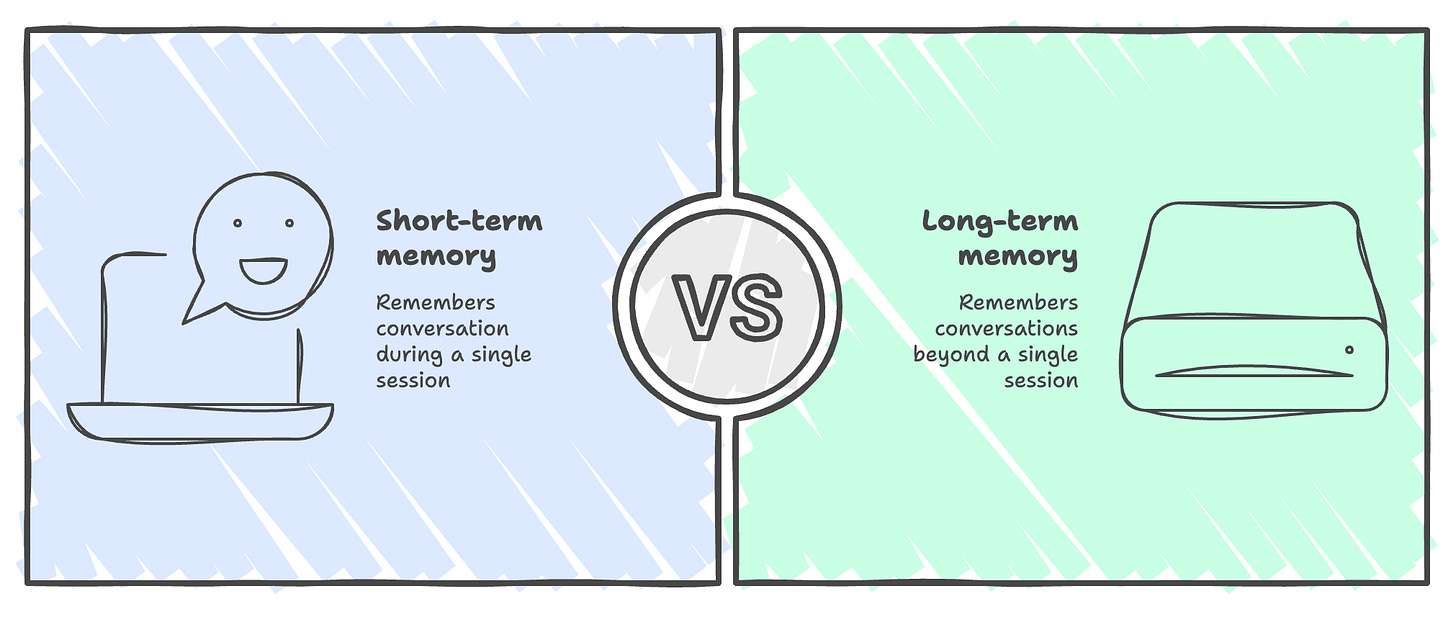
Short-term memory: the application “remembers” the conversation during a single session and clears it when the session ends.
Long-term memory: the application “remembers” conversations beyond a single session.
You can think of this as the difference between RAM and a hard drive. RAM is ephemeral and gets cleared when the machine restarts, while a hard drive persists beyond any single session.
In this tutorial, we will focus on setting up a short-term memory.
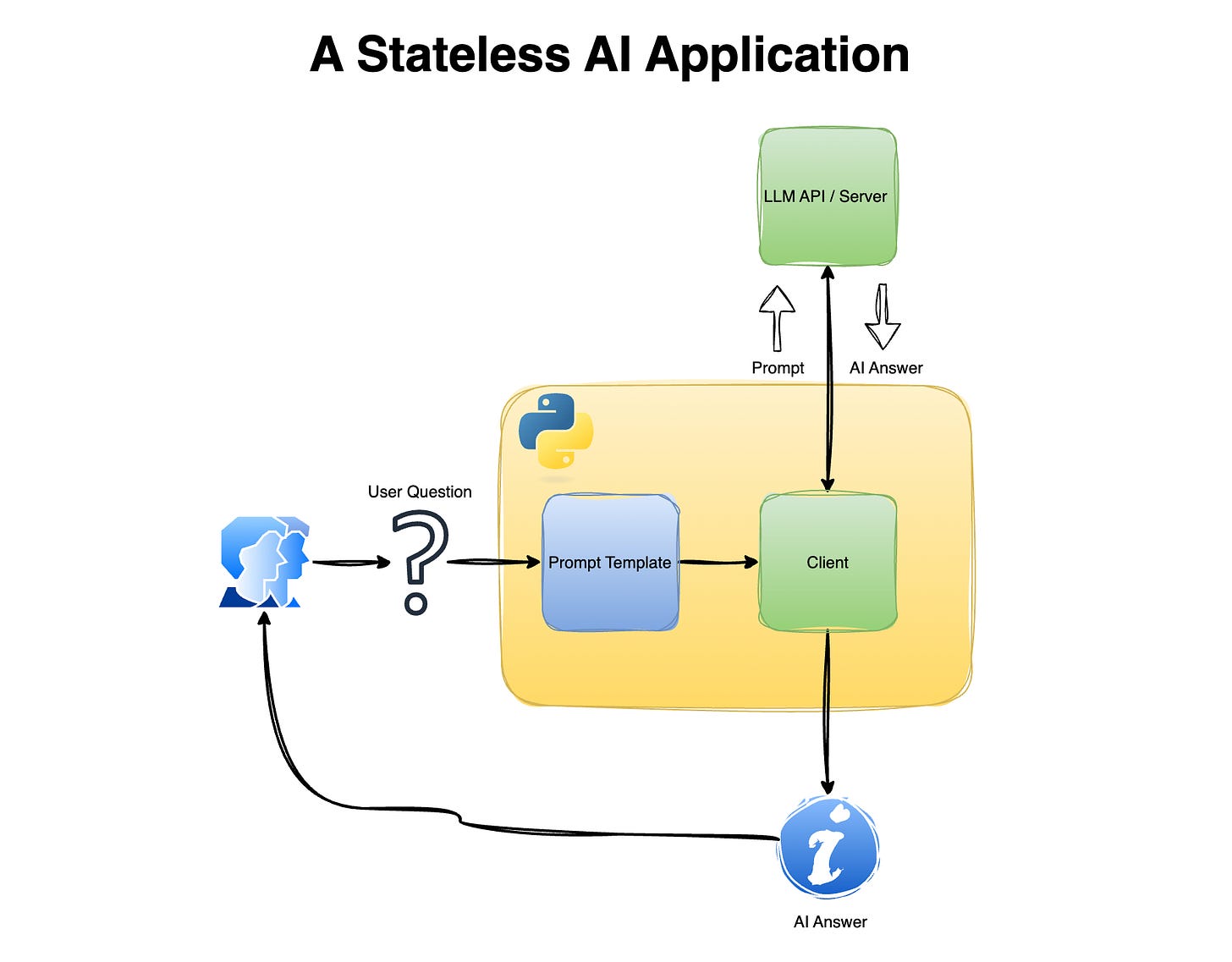
A Stateless AI Application
Let’s start by building a simple chat application with no memory (i.e., stateless) and see how it behaves (or fails) when a user tries to have a conversation or follow up on a previous one. This simple application will have the following components:
LLM client
Prompt template
LLM Client
We will use the OpenAI API Python SDK to call a local LLM. I am using Docker Model Runner to run models locally, and you can easily modify the OpenAI client setting (i.e., base_url, api_key, and model ) to use any other methods that are compatible with the OpenAI API Python SDK:
If you want to learn how to set Docker Model Runner to run LLMs locally, please check this getting-started tutorial.
Prompt Template
The prompt_template function follows the standard chat prompt structure, and it enables us to embed the user question in the prompt:
Chat App
Last but not least, we will connect those two components with the following while loop that receives input from the user, embeds the input into the prompt template, sends it to the LLM, and returns the answer:
Let’s set the above code in a Python script file and run it from the terminal:
This will open a dialog, and we can ask a simple question, such as what is the capital of the USA:
The LLM answer tagged as “AI” returns the right answer - Washington, D.C.
Let’s try to ask a follow-up question about the UK (capital):
This returns the following answer:
Because each request is sent independently, the model has no access to the previous question or its own earlier response
Adding Memory to the App
Now that we’ve set up the baseline chat app, the next step is to add short-term memory. Adding memory is straightforward: append the previous conversation to the prompt to provide a broader context to the LLM. This enables the LLM to assess whether the given question is related to the previous conversation and, if so, answer accordingly.
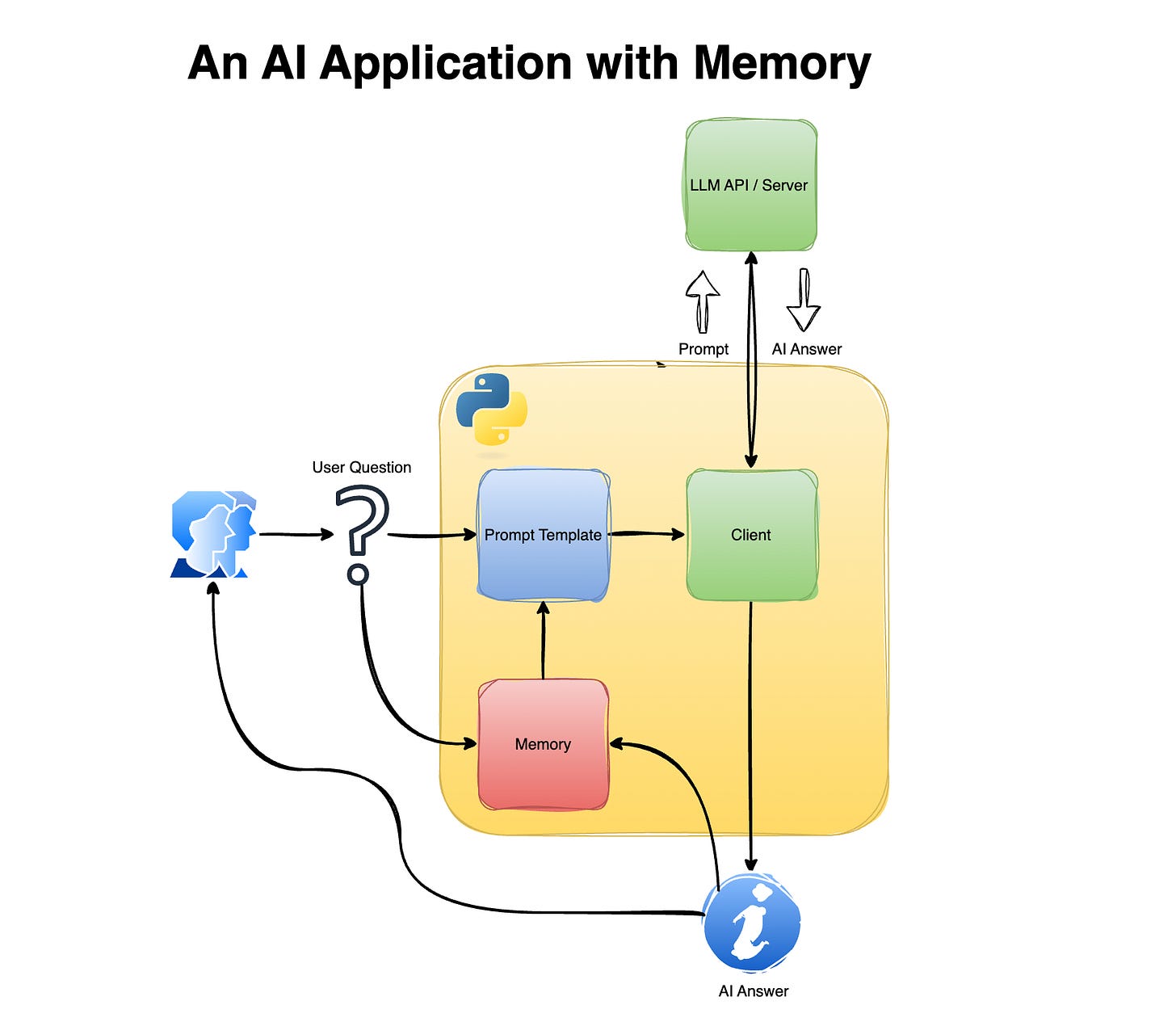
Let’s start by modifying the prompt template. We will add a list element named conversation and embed it in the prompt template:
This will enable us to send a new question from the user with the previous chat history.
Next, we will update the chat app to append a new question and the corresponding LLM response:
Let’s run this Python script on the terminal and try to ask the same question as before:
Great!
Now, what happens if we have a new question that isn’t related to the previous conversation? The LLM (at least the one that I tested) knows how to switch context. I asked the following question after the above questions:
Limitations
While this approach is simple and easy to implement, there’s no such thing as a free lunch, and it comes with some limitations. Let’s review some of them.
Token Growth and Cost Explosion
Each time you add a new user message or AI response to the prompt, the total number of tokens sent to the model increases. Assuming you are using a proprietary LLM API that charges per token, this means:
Longer conversations become increasingly expensive
The same historical context is repeatedly re-sent with every request
Costs grow linearly (or worse) with conversation length
Context Window Limits
LLMs have a fixed context window. Once the accumulated conversation exceeds that limit:
Older messages must be truncated or removed
Important information may be lost
The model may behave inconsistently or “forget” key facts
This forces you to implement additional logic, such as:
Sliding windows
Summarization
Selective memory retention
All of which adds complexity.
No Semantic Understanding of Memory
This method treats memory as raw text, not structured knowledge:
The model has no understanding of what information is important
Critical facts are mixed with irrelevant chit-chat
There is no prioritization or retrieval logic
As a result, the model may:
Miss important context
Overweight recent but irrelevant messages
Produce unstable or inconsistent answers
Fragile Prompt Engineering
While this approach works for demos and short sessions, it quickly breaks down in real-world applications.
While we saw in the previous example that the LLM can switch context from capital cities questions to math, there is a risk that the level of performance of the model decreases as memory is injected directly into the prompt:
Small prompt changes can significantly alter behavior
Bugs are hard to debug
Unexpected prompt formatting issues can break the system
This makes the system harder to maintain as it grows.
In the next tutorial, we will review how to handle token growth and context window limits.
Summary
In this tutorial, we built a simple AI chat application from scratch and explored how to add short-term memory by explicitly passing conversation history to the model. Starting from a stateless baseline, we saw how LLMs behave when each request is handled independently, and how even a minimal memory mechanism can dramatically improve conversational coherence. We also examined the limitations of this approach, including token growth, context window constraints, and fragile prompt engineering. While this method is not suitable for production systems, it provides a clear mental model for how memory works under the hood. In the next tutorial, we’ll take this one step further by tracking token usage and exploring strategies to manage memory efficiently at scale.
Resources
Code used for this tutorial
Getting started with Docker Model Runner
Running LLMs locally with Docker Model Runner and Python
Thanks for reading The AIOps Newsletter! Subscribe for free to receive new posts and support my work.

No posts
Ready for more?
相關文章