

Show HN:Word-GPT-Plus – 將 AI 和 Agent 直接整合到 Word 中
這篇 Hacker News 的「Show HN」貼文介紹了 Word-GPT-Plus,這是一個 Microsoft Word 的外掛程式,可直接整合 AI 和 Agent 功能,讓使用者在應用程式內進行文字生成、翻譯、摘要和潤飾。
Navigation Menu
Search code, repositories, users, issues, pull requests...
Provide feedback
We read every piece of feedback, and take your input very seriously.
Saved searches
Use saved searches to filter your results more quickly
To see all available qualifiers, see our documentation.
Word GPT Plus is a word add-in which integrates the AI&Agent into Microsoft Word.
License
Uh oh!
There was an error while loading. Please reload this page.
Kuingsmile/word-GPT-Plus
Folders and files
Latest commit
History
Repository files navigation

Word GPT Plus
Integrate AI & Agent directly into Microsoft Word
Features •
Getting Started •
Installation •
Usage
English | 简体中文
📋 Introduction
Word GPT Plus seamlessly integrates AI and Agent directly into Microsoft Word, allowing you to generate, translate, summarize, and polish text directly within your documents. Enhance your writing workflow without leaving your Word environment.

✨ Features
Multiple Platform Support with Latest Models:
Intelligent Agent Mode (Powered by LangChain):
Dual Chat Modes:
Quick Actions:
Customization & Flexibility:
Advanced Formatting:
Modern User Experience:
🚀 Getting Started
Requirements
Note: Works only with .docx files (not compatible with older .doc format)
💻 Installation
Choose the method that best suits your needs:
Method 1: Instant Use (Recommended)
Best for most users. No coding required.
Note for users in China: If you experience connectivity issues, try adding msq.pub to your proxy rules or use the self-hosted option.
Method 2: Self-Hosted (Advanced)
For developers or those requiring a private backend.
Pull and run the Docker image:
Download manifest.xml.
Edit manifest.xml: Replace all instances of http://localhost:3000 with your server's address.
Proceed to the Add-in Installation Guide.
Requires Node.js 20+
Clone and start the project:
Use the self-hosted manifest.xml.
Proceed to the Add-in Installation Guide.
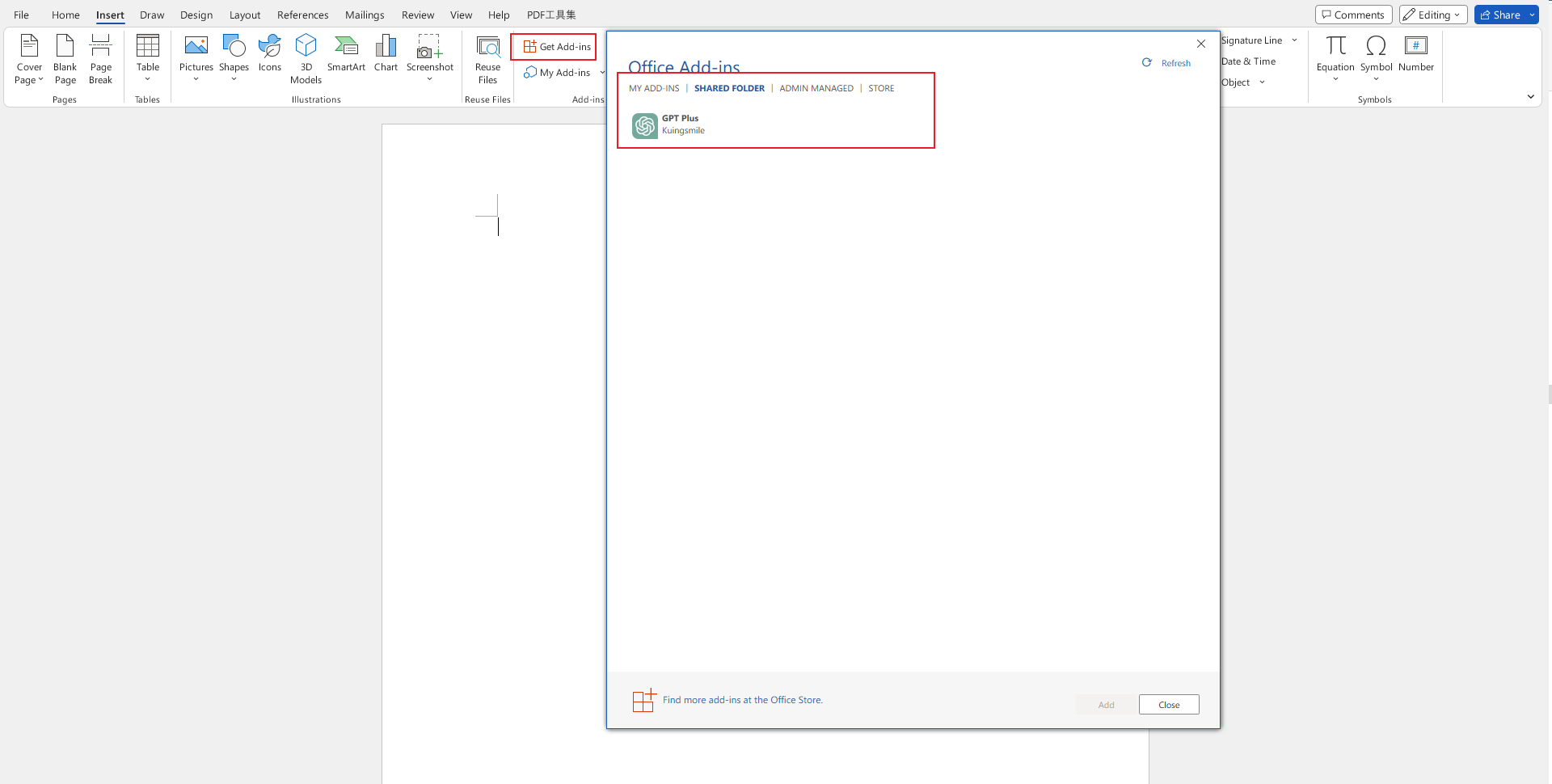
Add-in Installation Guide
To get started with Word GPT Plus, you will need to sideload the add-in into Microsoft Word.
You can find instructions provided by MicroSoft at the following link: sideload office add-ins
📖 Usage
Getting Started
After entering Word GPT Plus, click the Settings button on the homepage to configure your preferred AI provider and API key.
Modes
Use the chat mode for:
Simply type your message and press Enter. Use the quick action buttons for common tasks.
Agent mode gives the AI direct access to your Word document through 25+ specialized tools:
General Tools:
Document Reading Tools:
Document Writing Tools:
Document Formatting Tools:
Example Agent Prompts:
Quick Actions
Click the quick action buttons for instant operations:
Custom Models
For each AI provider, you can add custom models:
Configuration Tips
🔒 Privacy & Security
Contributing
If you have a suggestion that would make this better, please fork the repo and create a pull request.
License
MIT License
Show your support
Give a ⭐️ if this project helped you!
About
Word GPT Plus is a word add-in which integrates the AI&Agent into Microsoft Word.
Topics
Resources
License
Uh oh!
There was an error while loading. Please reload this page.
Stars
Watchers
Forks
Releases
30
Uh oh!
There was an error while loading. Please reload this page.
Contributors
2


Languages
Footer
Footer navigation
相關文章
其他收藏 · 0